What Should I Post on My Google Business Profile Each Week?
You don't need to post every day. A small weekly routine and a short list of ideas will keep your profile looking active and useful to the people already checking you out.
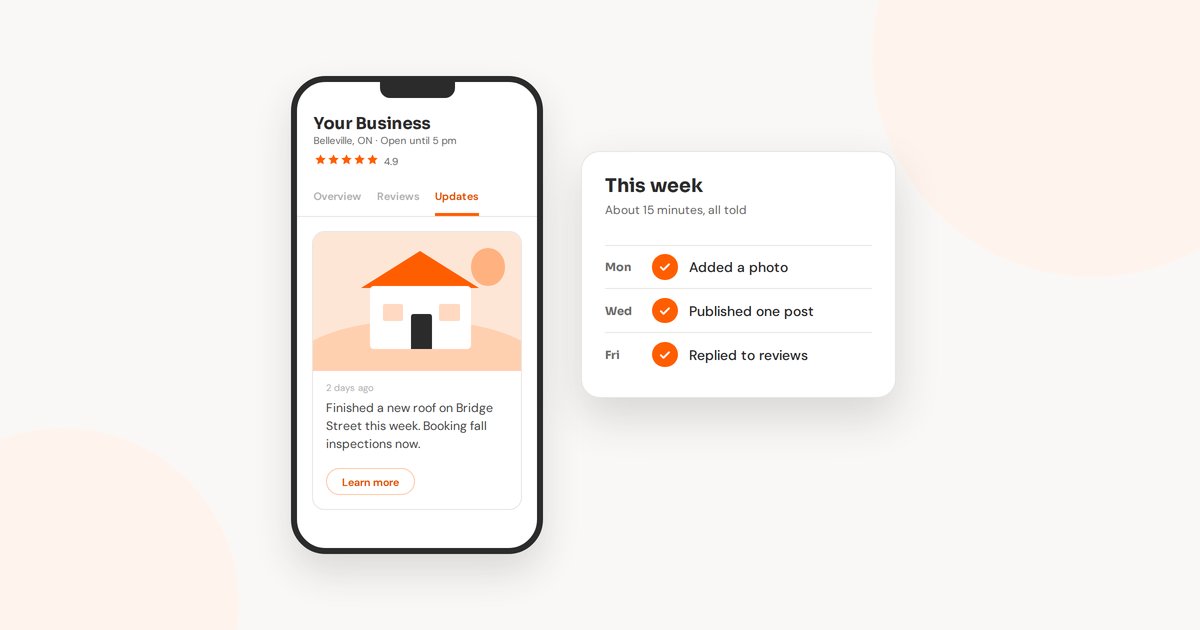
A lot of owners I talk to know they should be posting on their Google Business Profile. The trouble is the blank box. You open it, you can't think of anything worth saying, and it waits until next week. Then next month.
What helps is a routine small enough that you'll actually keep it. Here's the one I suggest: about 15 minutes a week, the same few jobs each time, and a short list of post ideas so you're never starting from scratch.
What a Post Is For
Posts show up on your profile when someone finds you on Google Search or Maps. By then, that person is already interested. They're deciding whether to call you, visit, or keep scrolling.
A recent post answers a quiet question they have: is this place active, and are they good at what I need? A photo of last week's job and two lines about it does that better than any slogan. That's the whole goal. You're writing for the person who's already looking at you.
The Three Kinds of Post
When you add a post, Google gives you three types to choose from:
- Update. The everyday one. News, a recent job, a new product, a tip, a photo with a few words. You can add a button like Learn more, Book or Call now.
- Offer. A sale or deal with a start and end date. It gets a View offer button, and you can add a coupon code and terms.
- Event. Something happening on a set date, like an open house, a workshop or a community day you're part of.
Updates stay on your profile for about six months before Google archives them. Offers and events follow the dates you give them. So older posts don't vanish after a week, but the newest ones are what people see first. That's why a steady rhythm matters more than a big burst.
A 15-Minute Week
You don't need to post every day. One post a week, one photo, and a quick check of your reviews is plenty for most small businesses.
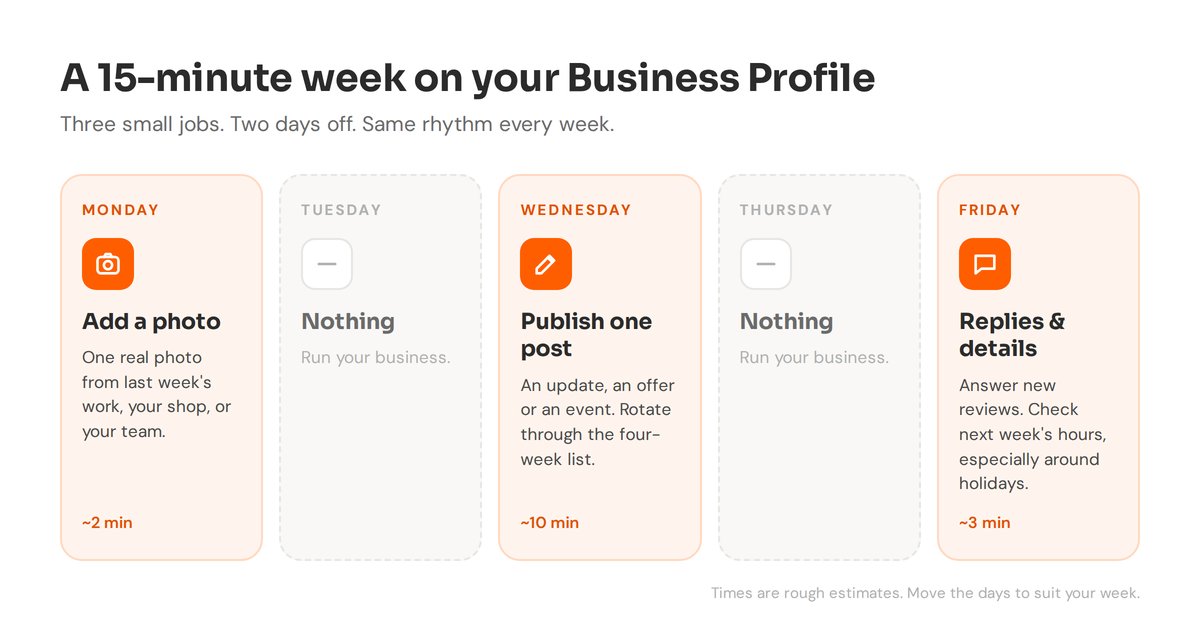
Monday: add a photo. One real picture from last week: a finished job, a product on the shelf, your team at work. Phone photos are fine as long as they're clear and well lit.
Wednesday: publish one post. This is the only part that takes any thought, so it helps to know ahead of time what kind of post it'll be. More on that below.
Friday: replies and details. Reply to any new reviews, and glance at next week's hours. If a holiday is coming, set your holiday hours now so Google shows the right times.
Google also lets you schedule posts ahead of time now. If Wednesday is always busy, write a few on a quiet afternoon and let them go out on their own.
What Goes in the Weekly Post
Rotating through four kinds of post keeps things varied without you having to invent something new each week.
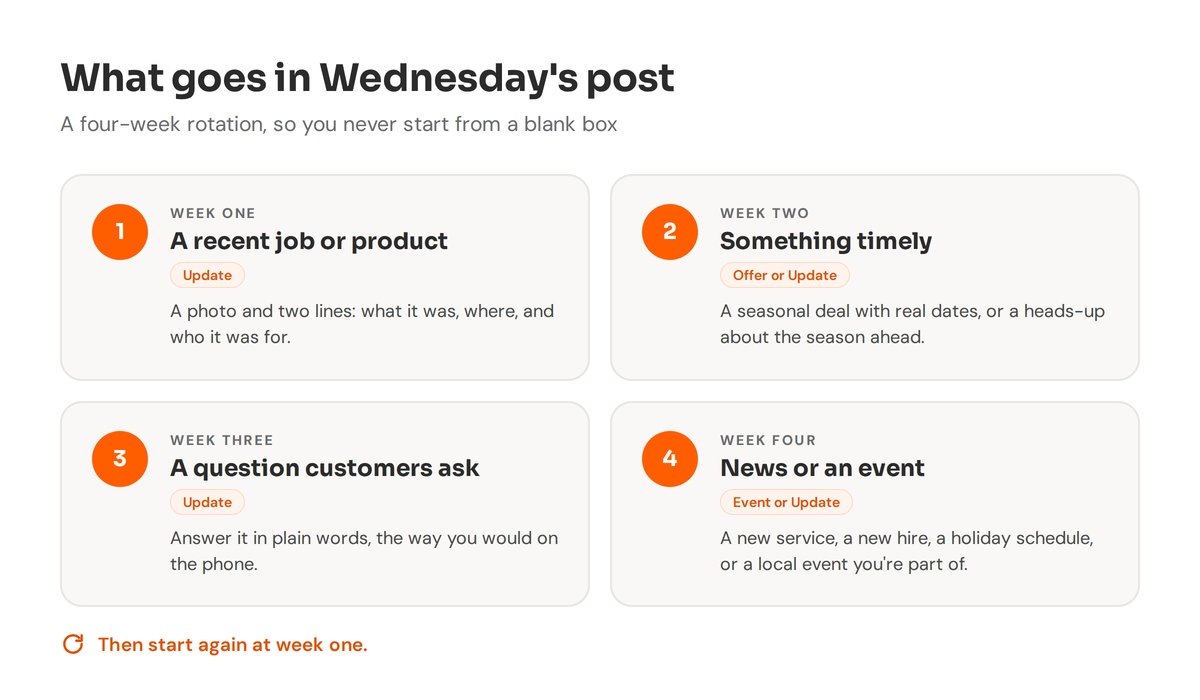
Week one: a recent job or product. A photo and a couple of lines. What it was, where, and who it was for. People like seeing work that looks like what they need.
Week two: something timely. If you have a real seasonal deal, post it as an Offer with honest dates. If you don't run deals, a heads-up works just as well, like booking fall clean-ups or getting holiday orders in early.
Week three: a question customers ask. Think of what people ask you on the phone. How long does it take? Do I need to be home? What should I bring? Answer one in plain words.
Week four: news or an event. A new service, a new team member, holiday hours, or a local event you're part of.
Keep each post short. Only the first line or two shows before someone taps to read more, so put the useful part first.
A post you can adapt
“Just finished [the job] for a family in [town]. [One detail about what made it work.] We’re booking [next season’s work] now. Tap below to get on the schedule.”
What You Can Leave Out
- Phone numbers in the text. Google may reject a post with a phone number it can't confirm belongs to your business. Use the Call now button instead.
- Links to other sites. Keep links pointing to your own website or booking page.
- Stock photos. Your own photos, even simple ones, tell people far more about you.
- Posts that say nothing. “Happy Monday!” fills the space but doesn’t help anyone decide. A small real detail is always better.
- Copying your Facebook post word for word. Reuse the photo by all means, but trim the text so it reads well on its own.
Make It a Habit, Not a Project
The profiles that look lively usually aren't run by people with more time. They belong to owners who picked a small routine and kept at it. Fifteen minutes a week, the same jobs, the same list of ideas. After a month you won't need to think about it.
If you'd like help setting this up, or you'd rather hand it off, that's part of the Google Business Profile work I do. You can also run the free checkup to see how your profile looks next to others nearby.
Want your profile to stay active without thinking about it?
I can set up a simple weekly routine for your Google Business Profile, or keep it up to date for you.