Do I Need a CRM, or Is a Spreadsheet Fine?
It depends less on how big you are and more on how many people handle your leads. Working alone, a spreadsheet with AI can carry you a long way. Get the routine right there first.
 By Stephen OsmondWebsites and local marketing for small businesses in Belleville and the Quinte region
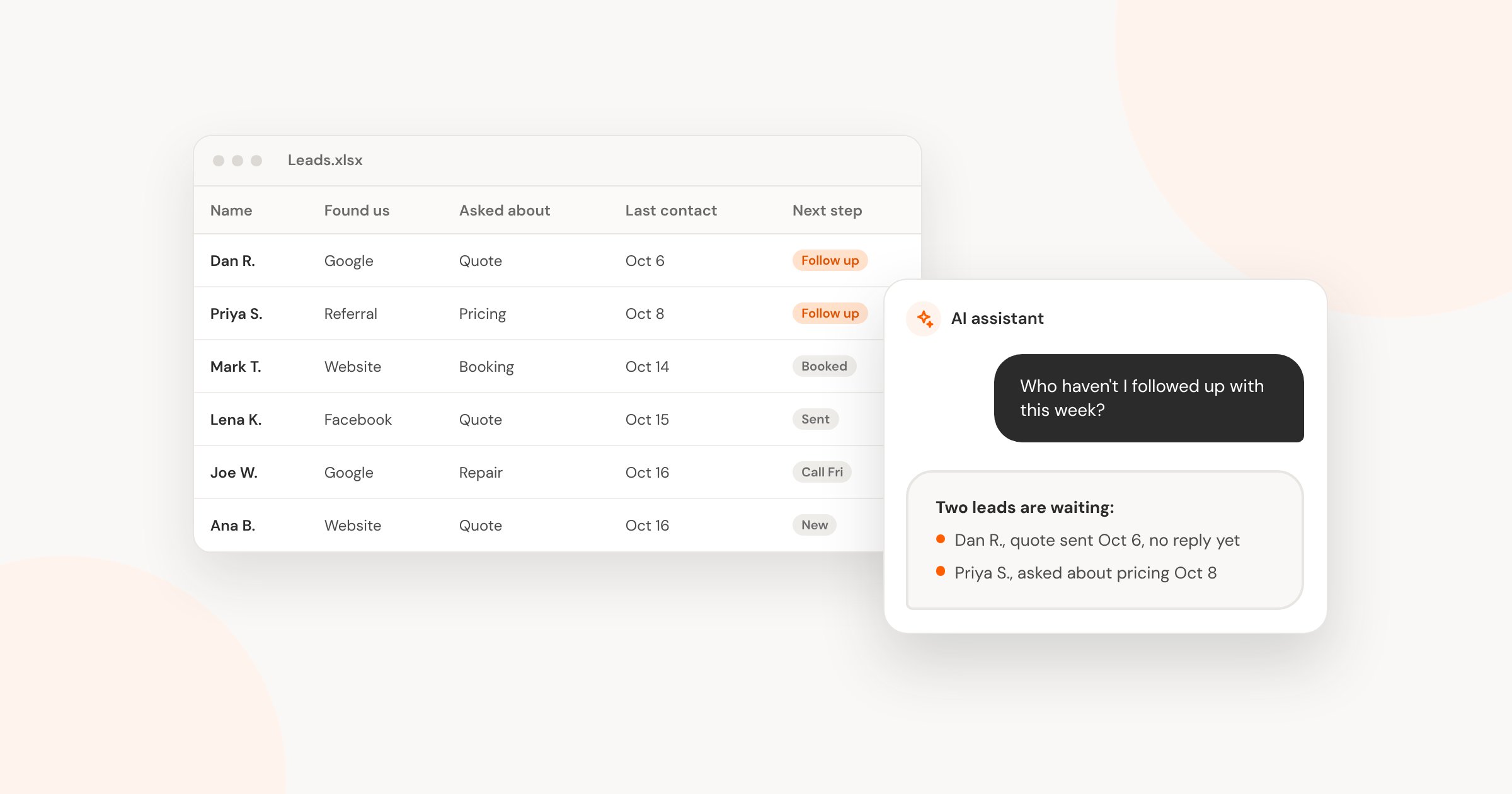
People ask me this a lot. The usual answer is that a spreadsheet is fine until it isn't, and then you get a CRM. I think there's now a middle option worth taking seriously: a spreadsheet with AI on top of it.
I've used Claude inside Excel enough to know it can do a lot. AI assistants can also read a spreadsheet file and answer questions about what's in it. I've seen this working, and it can work really well.
So my answer depends less on how big your business is and more on who's handling the leads.
How Many People Touch Your Leads?
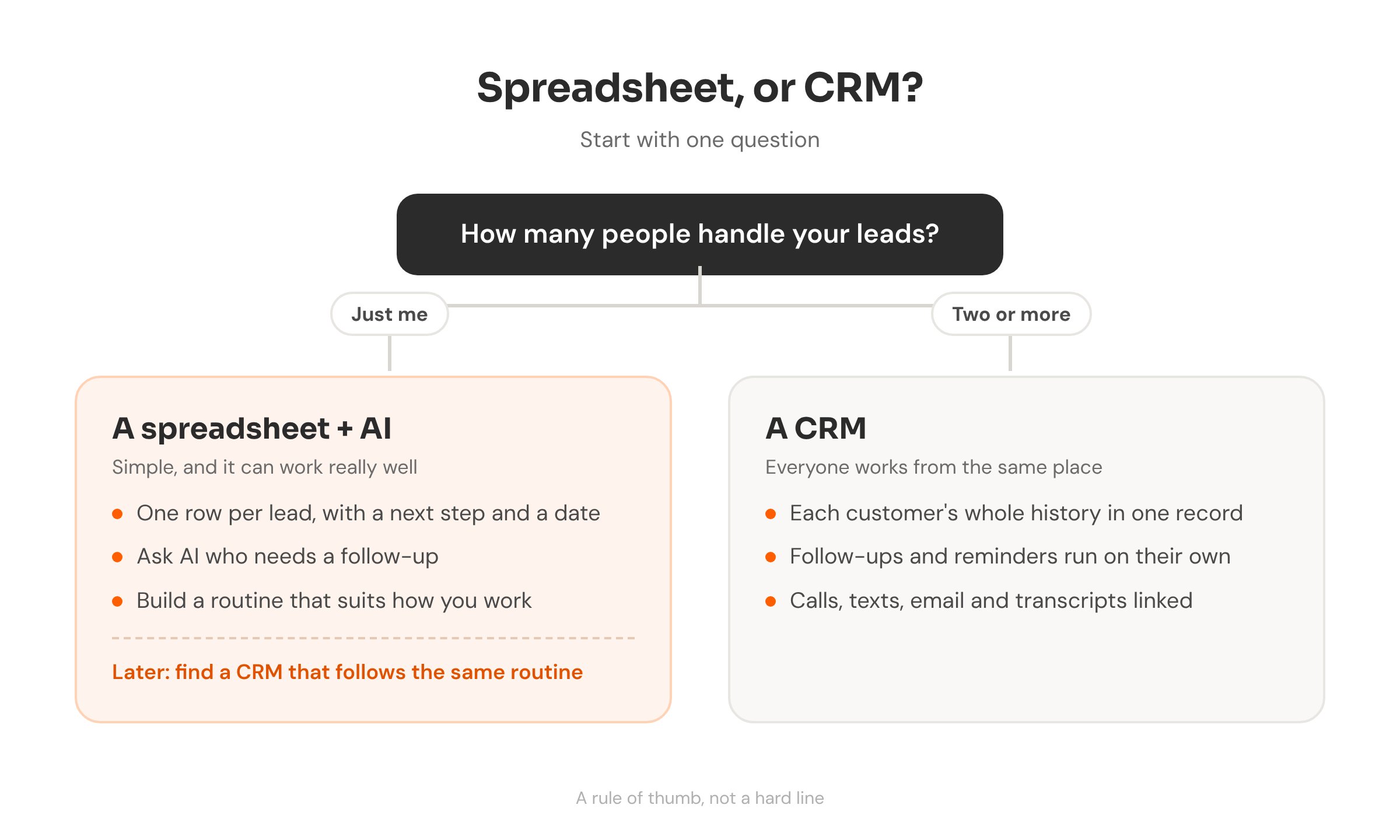
A lot of advice ties this decision to size: a certain number of customers, or a certain amount of revenue. I don't think that's the real dividing line. The one I use is whether more than one person is working with the leads.
If it's just you, a spreadsheet can carry you a long way. Once a second person is answering calls, sending quotes or following up, I'd move to a CRM. That's when things start slipping: a lead nobody followed up with, or two people each assuming the other one called back.
If It's Just You: A Spreadsheet Plus AI
The spreadsheet part stays simple. One row per lead, with columns for their name and contact details, how they found you, what they asked about, when you last spoke, and the next step with a date.
The AI part is where it's changed. Instead of scrolling and sorting, you ask.
Questions to ask AI about your lead sheet
“Who haven’t I followed up with in the last week?”
“Which leads came from Google this month?”
“Draft a short, friendly follow-up to [name] about the quote I sent on [date].”
Where you spend your day matters here. If most of your work already happens in an AI app, the spreadsheet can just be the data bank. You ask the AI and it reads the sheet for you. If you live in your inbox or on your phone, you'll need the habit of opening the sheet and keeping it up to date.
Where a Spreadsheet Falls Short
The gap is anything that needs to happen on its own. A spreadsheet doesn't remind you to call someone back on Thursday, and it won't send the follow-up text if you forget. Recurring follow-ups and automation are where it falls short.
AI can help close some of that gap. It can help you build reminders or a simple automation around your sheet. That's extra setup, though, and it's something you'd look after yourself.
Speed matters with new enquiries too. If leads are going cold before you get back to them, that's worth fixing whatever tool you use. I wrote about that in how fast to reply to a new enquiry.
Get the Routine Right First
This is the part I'd pass on to anyone working alone. Use the spreadsheet to work out your routine: how leads come in, what you do next, when you follow up, and what counts as done. Once that pattern is working, look for a CRM that follows the same workflow.
That way the CRM speeds up something you already do, instead of handing you someone else's process to learn. It also gives you options a spreadsheet can't, like automatic follow-ups and everything in one place.
What a CRM Adds
For me, the best thing about a CRM is that everything is linked together. The contact, every email and text, call transcripts, the automations and an integrated phone system all sit on the same record. Anyone on the team can open it and see where things stand.
That's the idea behind BaseStep, my own branded CRM.
If you're there now, or you signed up for a CRM and never got it set up properly, that's what my CRM setup work is for. I start with how you already handle leads, then set the system up to match. To see how your business looks online before any of that, run the free checkup.
Ready to move off the spreadsheet?
I can set up a CRM around the way you already handle leads, with follow-ups, your phone and your messages all in one place.