What Happens When Someone Asks ChatGPT for a Business Like Mine?
More customers are asking AI for a recommendation instead of scrolling through search results. Here's how to see what it says about you, and how to improve it.
 By Stephen OsmondWebsites and local marketing for small businesses in Belleville and the Quinte region
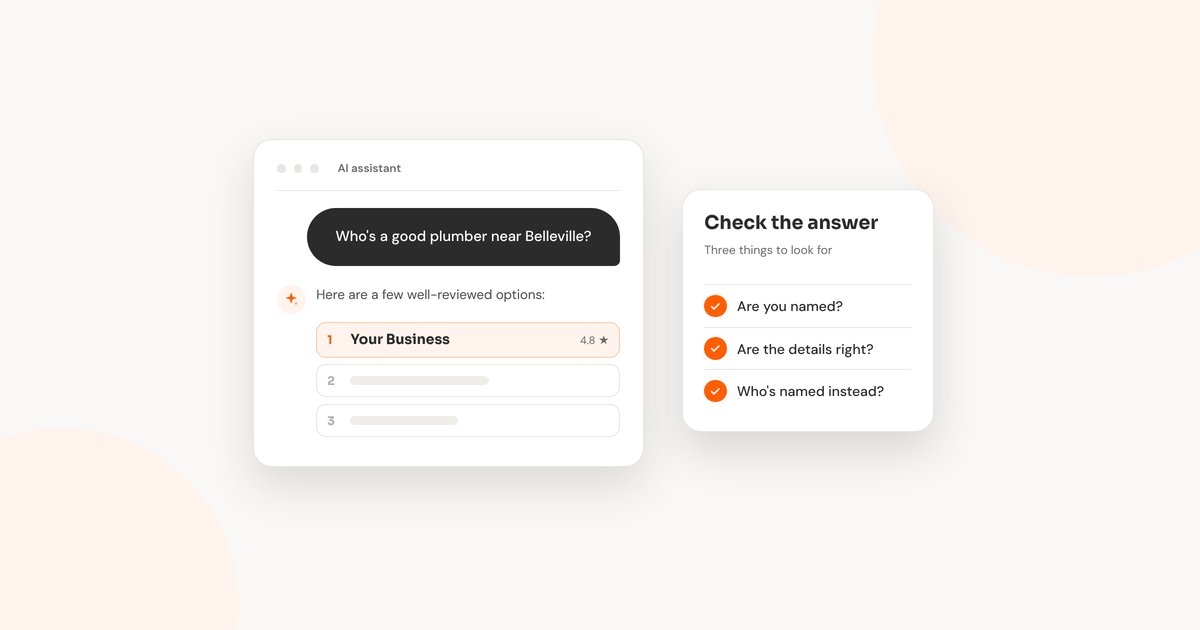
Picture someone with a kitchen tap that won't stop dripping. More and more, instead of scrolling a page of links, they open ChatGPT or read the AI answer at the top of Google and type something like who's a good plumber near Belleville?
What comes back is a short list: two or three names, a sentence about each, sometimes a map. Whoever is on that list gets the first call. So it's worth knowing what these tools say when someone asks for a business like yours, and where they get it from.
I've been running this test on my own business. With lots of different wordings, in private browser windows and in my normal one, Involve Media came up some of the time and not others. Same kind of question, different answer. That's normal for these tools, and it's why a single check doesn't tell you much.
This post is the practical side: how to check, and what you can change. (For the AEO, GEO and other new names for all this, see my separate post.)
Try It Yourself First
It takes about ten minutes. Start in ChatGPT, in a temporary chat so your past conversations don't shape the answer. It uses your rough location for local results, so asking from your own town is close to what a nearby customer sees.
Ask the way a customer would, with the town in it:
Three questions to ask
1. “Who’s a good [your trade] in [your town]?”
2. “I need [the job you do most] near [your town]. Who would you recommend?”
3. “What do you know about [your business name] in [your town]?”
The first two show whether you come up for someone who doesn't know your name yet. The third shows what the AI believes about you when someone does. Ask each one a few times, on different days, in a private window and a normal one. That's how I check my own business, and the results change from one try to the next.
Then do the same in Google. Search the first question and read the AI Overview at the top, if one appears. Then try the AI Mode tab, which gives a longer, chat-style answer.
For each answer, note whether you're named, whether the details are right, and who's named instead. Then click the sources it shows. They often tell you more than the answer itself.
Where the Answer Comes From
These tools don't know your business personally. They search, read what they find, and write a summary. According to OpenAI, ChatGPT turns a question into searches that go to its search partners, then uses your approximate location to pick local results. In July 2026, OpenAI also signed a deal with Yelp to bring Yelp reviews, ratings and photos into ChatGPT's local answers.
Google's AI answers draw on regular search results and Business Profile information. Google says there's nothing special to do to appear in them beyond the usual search basics, including keeping your Business Profile up to date.
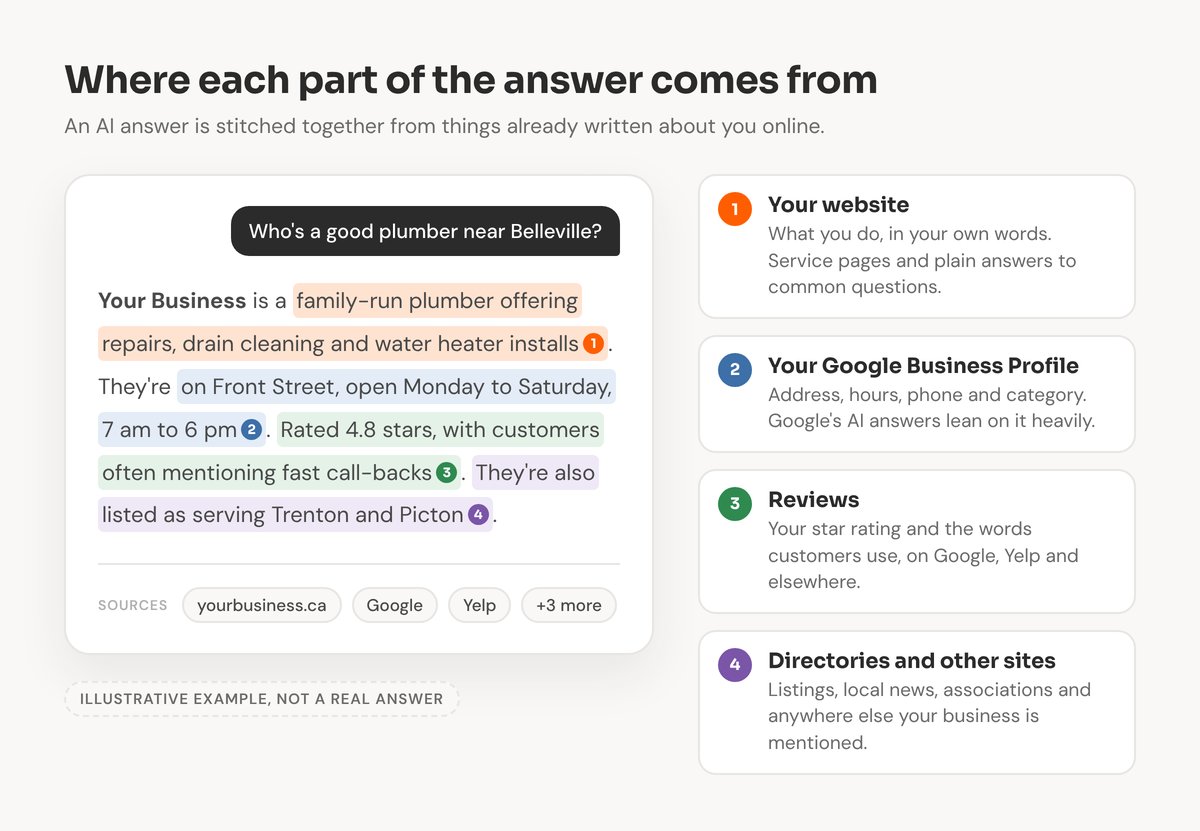
If any one of those sources is out of date, the AI may repeat the old version.
What You Can Fix
You can't edit what ChatGPT or Google writes. You can change what they read. Start with whatever your test turned up.
If a detail was wrong, find where the wrong version lives. An old phone number or address usually comes from an old directory listing, a previous location, or a page on your own site that never got updated. Fix it at the source. Then make sure your name, address, phone and hours match on your website, your Business Profile, Yelp, Bing Places and Apple Business Connect.
If you weren't named, look at who was. Usually they have a website that says plainly what they do and where, a complete Business Profile, and a steady flow of recent reviews. Match those.
If the description was vague, your website probably needs to be more specific. Give each main service its own page or section. Name the towns you actually serve. Answer the questions people ask you on the phone, in plain sentences that make sense on their own. Those are the parts AI answers tend to lift.
Reviews count twice. The rating matters, and so do the words. A review that mentions the job and the town gives an AI something to use when the next person asks for that job in that town. I wrote about asking for reviews without it feeling awkward.
Check that the door is open. OpenAI says sites that block its search crawler, called OAI-SearchBot, won't be shown in ChatGPT search answers. Some hosts and security plugins block AI crawlers by default, so it's worth a quick check.
What I'm Trying on My Own Site
I test things on my own business before suggesting them to anyone else. Right now that includes:
- A plain summary for AI tools. An llms.txt file, a short outline of what I do and which pages matter. Google says it doesn't need one, but it's little effort.
- Posting regularly. Google wouldn't list involve.media as a Preferred Source because the blog wasn't updated often enough. This post is part of fixing that.
- Telling Bing about new pages right away. Each new post goes to Bing through IndexNow as soon as it's live. Bing powers Microsoft Copilot and feeds other AI assistants too.
- Cleaning up old addresses. My old WordPress site left hundreds of dead page addresses that Google kept visiting instead of my real pages. They now return a proper “not found”.
- An MCP server. MCP is a newer standard that lets AI assistants connect to a site and ask it questions directly, instead of piecing things together. I'm testing one for involve.media.
I haven't seen solid results from all of this yet, and I'd rather say so. These tools change every few months. Testing on my own site means that when something works, I can bring it to the businesses I work with.
How Long Changes Take
Give it time. Most fixes take weeks to show up in answers, because the tools have to find the updated pages and listings first.
Run your three questions again once a month and keep your notes, so you can see what changes.
When a client asks me whether I can get them into ChatGPT, my answer is that nobody can guarantee it. What I can do is put the current best practices in place, keep them up to date as these tools change, and make sure everything they read about you is accurate, current and specific. That same work helps you on Google Maps and in regular search too.
If you'd like a hand with it, this is part of the local SEO work I do. You can also run the free checkup for a quick look at how your business shows up online.
Want to know what AI says about your business?
I can run the checks for you, explain what I find, and fix what's feeding it the wrong information.