I Tried to Claim My Business in ChatGPT. Here's What Happens in Canada.
It's a new beta, it's free, and for most local Canadian businesses it ends at a waitlist for now. Here's what I saw trying it, and what to do while you wait.
 By Stephen OsmondWebsites and local marketing for small businesses in Belleville and the Quinte region
This week OpenAI opened something a lot of business owners have been waiting for: a way to claim your business inside ChatGPT. It's in beta and free for now. Once a profile is claimed, you can see how often ChatGPT mentions your business, keep your details up to date and, eventually, set up an assistant that answers customer questions using information you control.
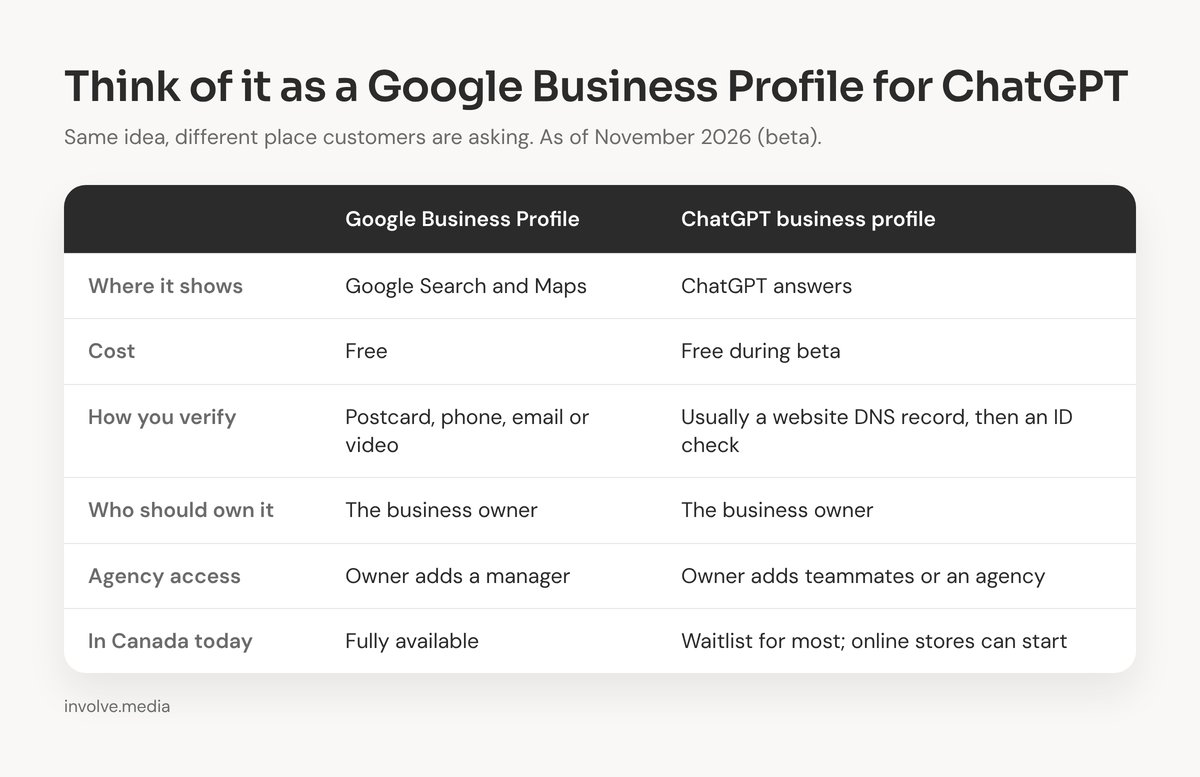
The easiest way to think about it: it's a Google Business Profile, but for ChatGPT. Same idea, different place customers are asking.
If you've been following AI search at all, you can see why people are excited. More customers are asking ChatGPT "who does websites in Belleville?" or "where can I get my furnace serviced near me?" instead of typing it into Google. Having some say over what it tells them matters. (I wrote earlier about what happens when someone asks ChatGPT for a business like yours.)
So I tried it, first on Involve Media and then on a few of my clients. Here's what happened.
What happened when I tried it
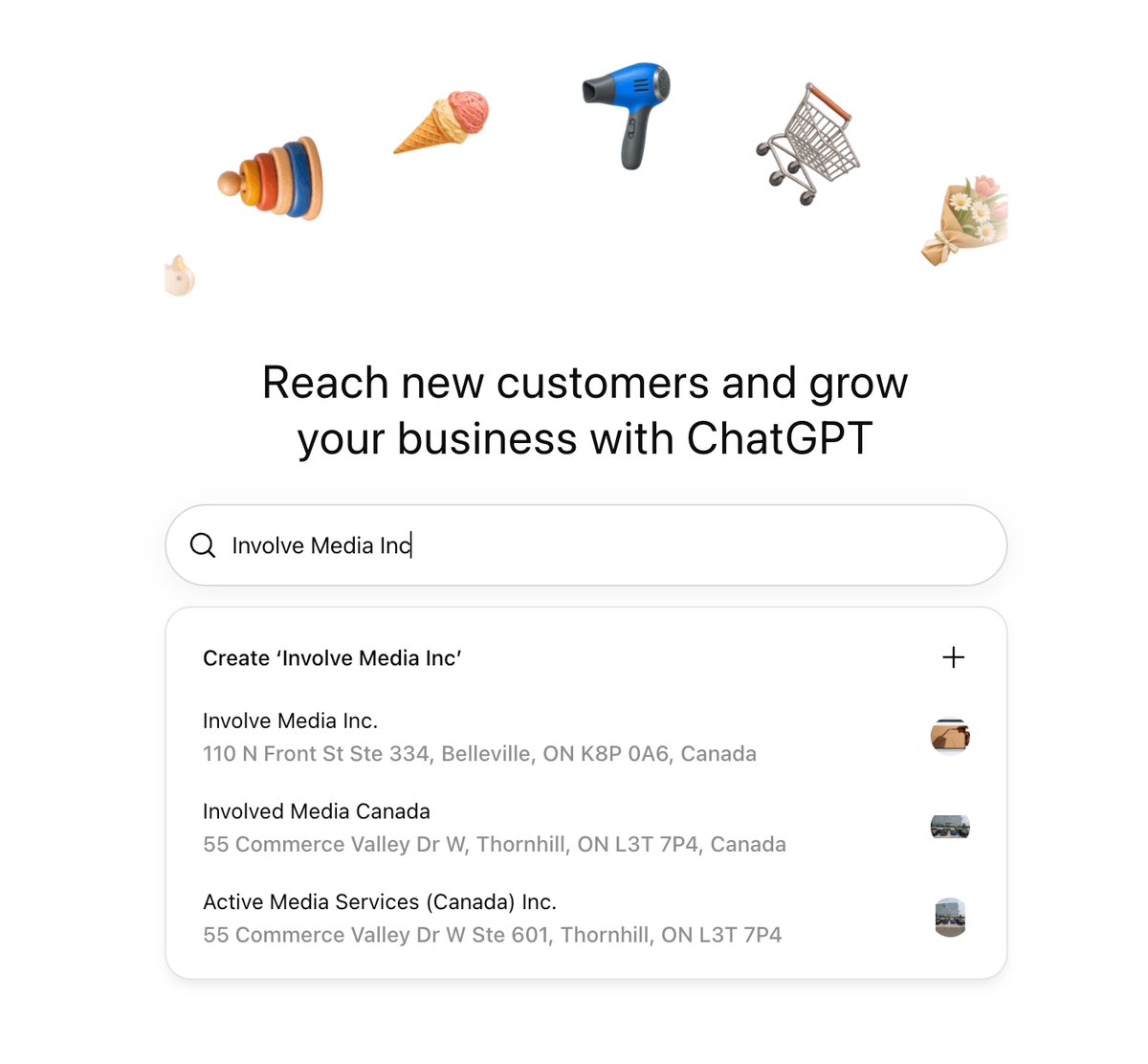
You start on ChatGPT's business page by searching for your business. When I searched for Involve Media, it found us right away with our correct Belleville address. It also listed a couple of similar-sounding companies in Thornhill, and above all of them was an option to create a brand-new listing.
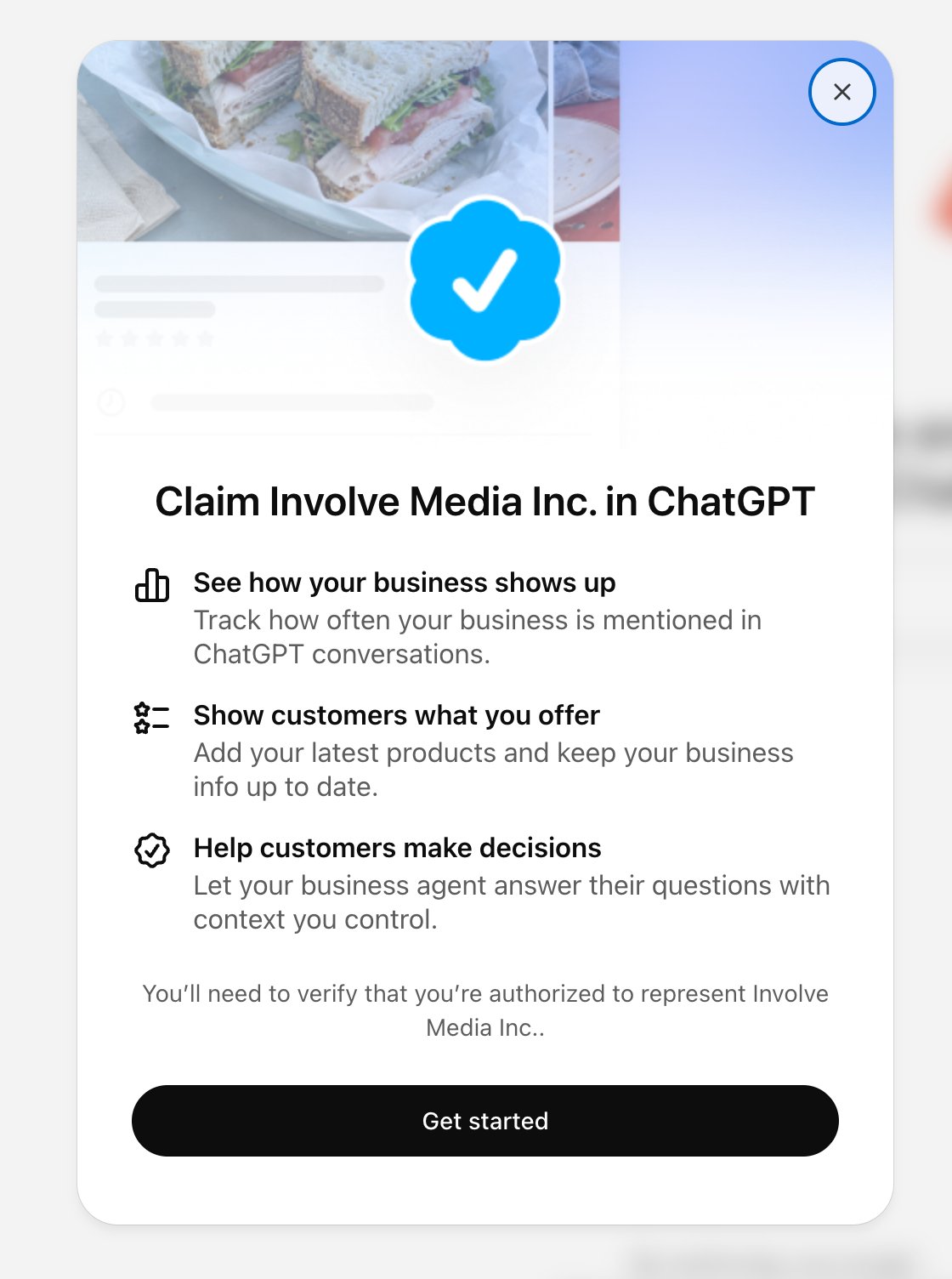
I picked our listing and got the claim screen. It promises three things: see how your business shows up, show customers what you offer, and let a business agent answer questions. It also warns that you'll need to verify you're authorized to represent the business.
I clicked Get started and landed on this:
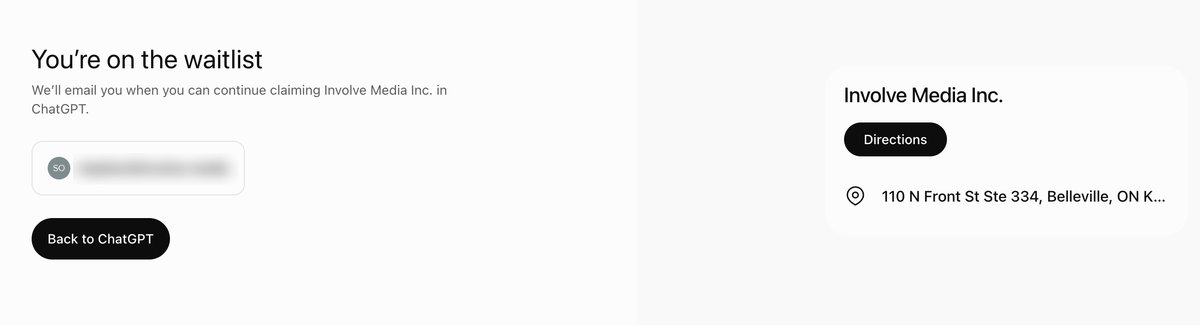
That was it. It didn't ask what type of business we are or give a reason. It just said "We'll email you when you can continue."
My clients' businesses mostly got the same result. The ones ChatGPT already knew went straight to the waitlist.
One went differently. A client with an online store didn't come up in the search at all. Easy to miss, but there's a + button to create a new business. It asks how people buy from you: at a physical location, through an online store, or on a marketplace. I picked online store and entered their website, and it went straight to verification instead of the waitlist.
That's where it got technical. There seem to be a few ways to verify depending on how your business is set up, but the standard one looks like it will be a DNS record. That's a small text entry in your domain's settings that proves you control the website.
One thing to watch for: after verification, it asks for a contact email and phone number. Both are marked optional, but if you add a phone number, it sends a code to that phone to confirm it. If that phone belongs to someone who isn't sitting beside you, you'll be waiting on them before you can finish. Have the right person nearby, or leave the phone number until later.
This is the step where most business owners will need a hand. Finding where your domain is managed and adding a record to it isn't something most people do every day, and that's completely normal.
I also tried it with one of our own brands, BaseStep. After verification, it asked a couple of quick questions (do you offer delivery, what's your return policy), then saved the profile as a draft and opened a dashboard. From there you can add products and see how often ChatGPT mentions you and which topics bring people to you.
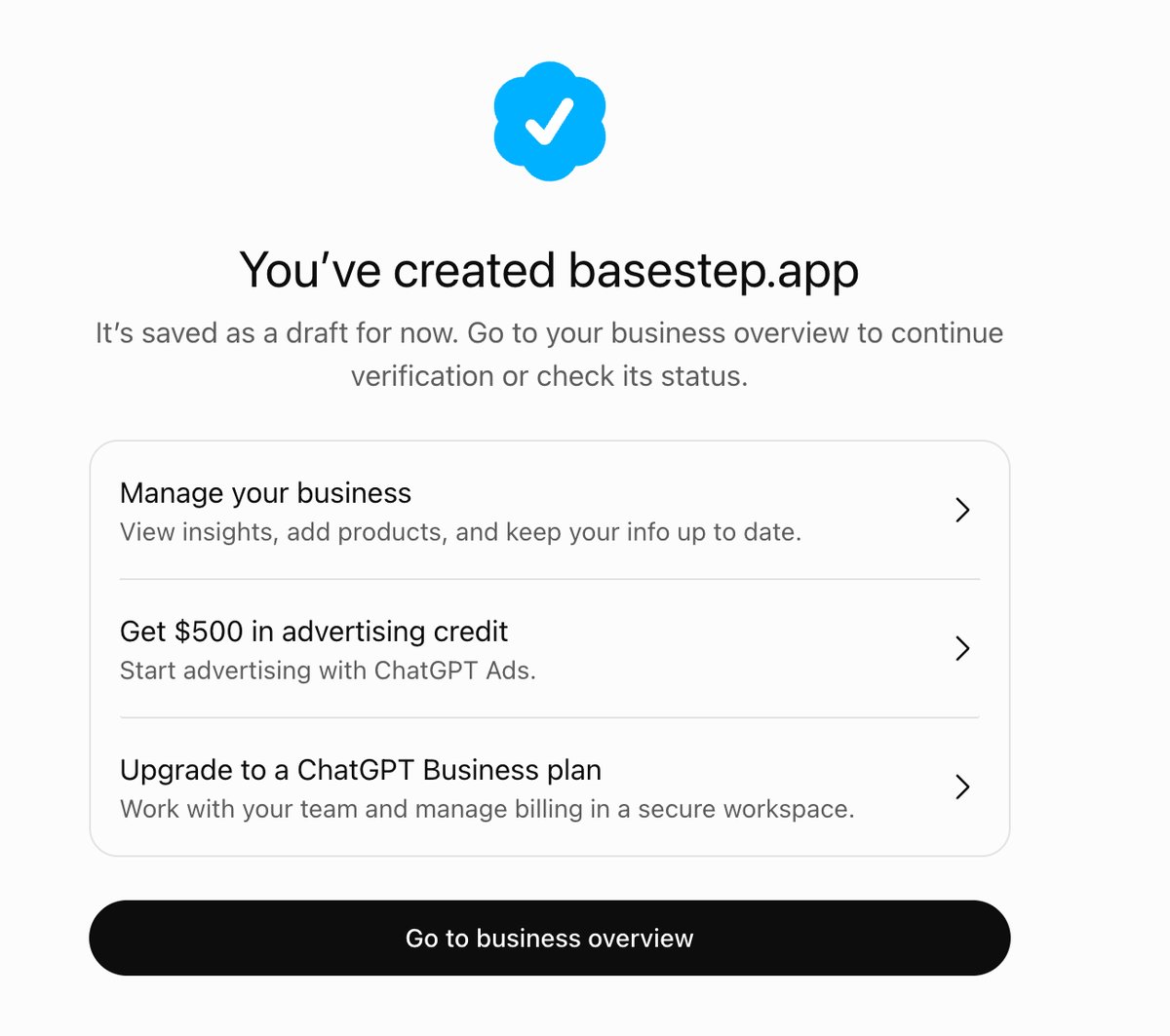
The last step before a profile goes live is an identity check through OpenAI's verification partner, Persona. It asks for government ID and a selfie, and it's for the person managing the profile, not the business. I've paused there for now while I see how things settle.
Why the waitlist (and what's US-only for now)
From what's been reported since launch, the waitlist is about capacity, not verification. If ChatGPT already knows about your business, the claim goes on a waitlist while OpenAI opens access a little at a time. It isn't a sign that something is wrong with your business or your listing.
A few things matter more if you're in Canada:
- Local storefront claims are US-first. For now, local businesses like shops, restaurants and service businesses with an address can only claim an existing listing in the US. Canadian businesses can get on the waitlist, but that's about as far as it goes today. Online stores that ChatGPT doesn't already know about seem to be the exception, at least in my testing.
- The business agent is US-only. That's the assistant that answers customer questions for you, and it isn't available here yet.
- Verification is real. Once you're through, you prove the business is yours, most often with a website (DNS) record, though other options may show up depending on your setup. After that comes an identity check that can ask for government ID and business documents. Your business name, address and registration details need to match official records.
- Once it's live, it's live. Reports say OpenAI support can't unpublish an approved profile. Only drafts can be removed, so it's worth getting right the first time.
One more thing I noticed: two of the search results were for companies with names close to ours. If your business name is common, or ChatGPT has old information about you, make sure you pick the right listing. Creating a duplicate when one already exists will only muddy things.
Who should own your ChatGPT profile
This is the part I'd tell any client, and it's exactly the advice I give about Google Business Profiles.
The profile should be in your name. It's your business and your reputation, so the ownership should stay with you.
That doesn't mean you have to figure it all out alone. OpenAI lets the owner add teammates and an agency, each signing in with their own ChatGPT account. That's how I'd set it up with my clients: we work through the claim together, the profile stays in your name, and Involve Media is added as an administrator so we can keep it up to date and help when something changes.
It's the same way we handle Google Business Profiles today. You own it, and we look after it with you.
What to do while you wait
This is moving fast. In a U.S. survey this summer, just over half of consumers said they'd used an AI tool to find a local business in the past month, up from 9% a year earlier. Two-thirds of them had also been given wrong information about a business at least once.
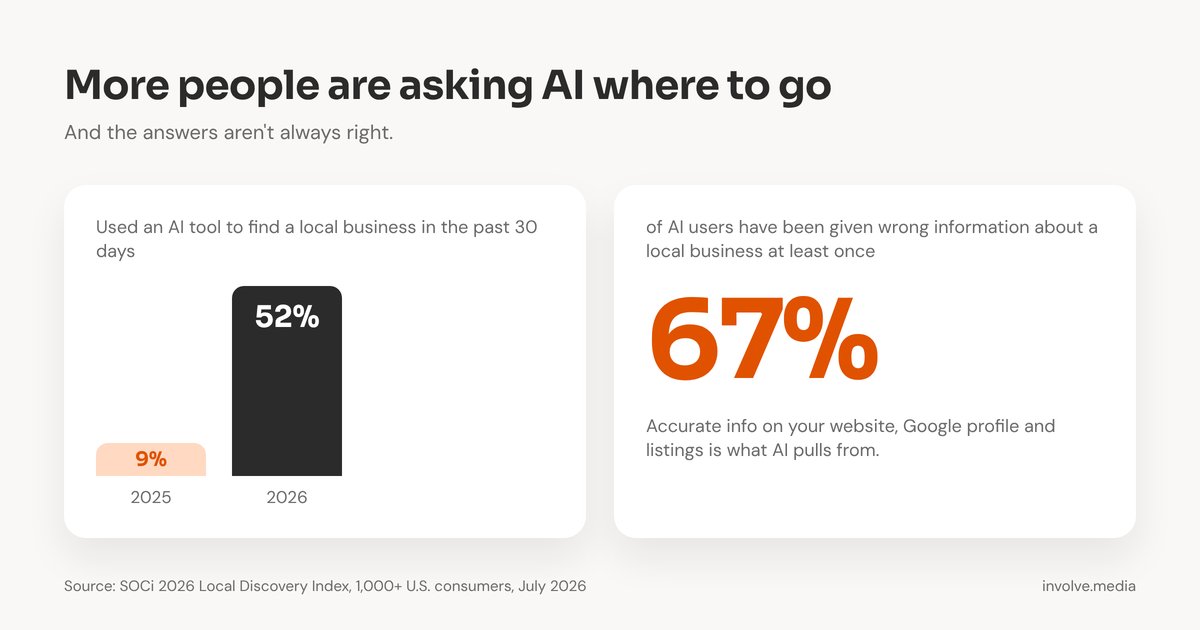
Right now ChatGPT builds its picture of your business from what's already out there. That includes your website, your Google Business Profile, directory listings and reviews. You don't have to wait for the waitlist to improve that picture:
- Don't rush it. It's early, and for most local Canadian businesses it won't go through yet. There's no harm in waiting until it opens up properly.
- Make sure your website clearly says what you do and where. Plain, specific language beats clever wording, for people and for AI.
- Keep your Google Business Profile current, including hours, services, photos and replies to reviews.
- Check that your name, address and phone number match everywhere, across your website, Google, Facebook and directories like Yelp or YellowPages.ca. Inconsistent details are how you end up with duplicate or confused listings.
How Involve Media can help
This is new for everyone, and it's still early. If you'd like a hand with it, that's what we're here for. If we already look after your website and domain, the technical verification is something we can take care of for you.
As claiming opens up in Canada, we'll walk our clients through it: the profile stays in your name, Involve Media is added as an administrator, and we keep it up to date alongside your website and Google profile.
Not sure where your business stands? Get in touch and we'll take a look with you, or start with the free Local Business Checkup.
Not sure how ChatGPT sees your business?
I can check what it says about you today and help you through the claim when it opens up, with the profile kept in your name.