What Photos Should I Put on My Google Business Profile?
Start with the outside and the inside, then the work and the people. A phone and 20 minutes is enough, and real photos beat stock ones every time.
 By Stephen OsmondWebsites and local marketing for small businesses in Belleville and the Quinte region
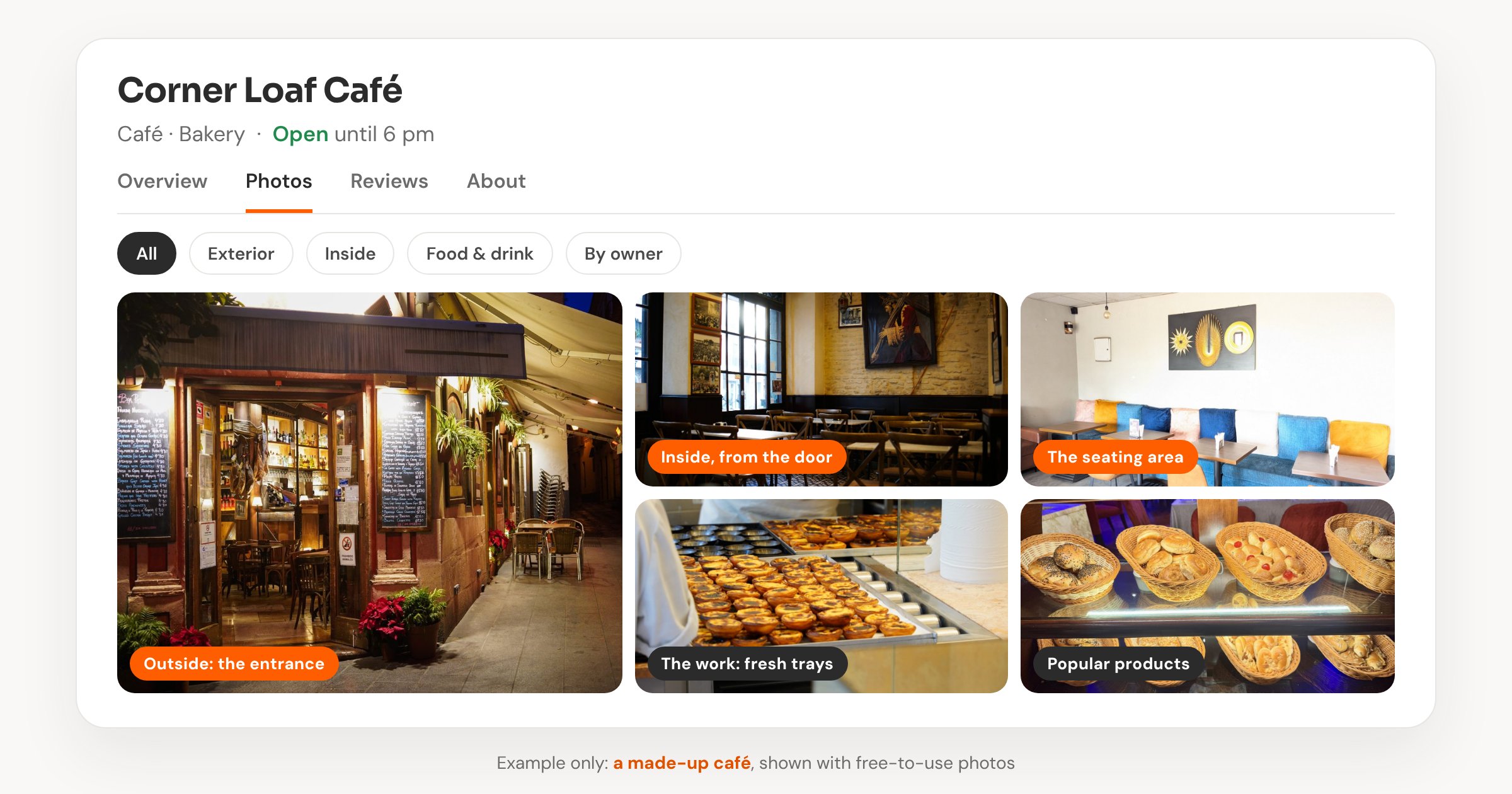
When I look at a small business's Google Business Profile, the photos are often the thinnest part of it. A lot of the time there are no photos at all, or just one to three. The ones I most often find missing are the outside of the building and the inside of the shop.
I'm not a photographer, and you don't need to be one either. This is what I'd tell an owner to take, along with what Google itself recommends.
Start With the Outside and the Inside
Someone looking at your profile is usually deciding whether to visit or call. A photo of the outside helps them recognise your place when they pull up. A photo of the inside shows them what it's like to walk in. Those two are the ones most profiles are missing, so they're where I'd start.
What I'd Shoot in 20 Minutes
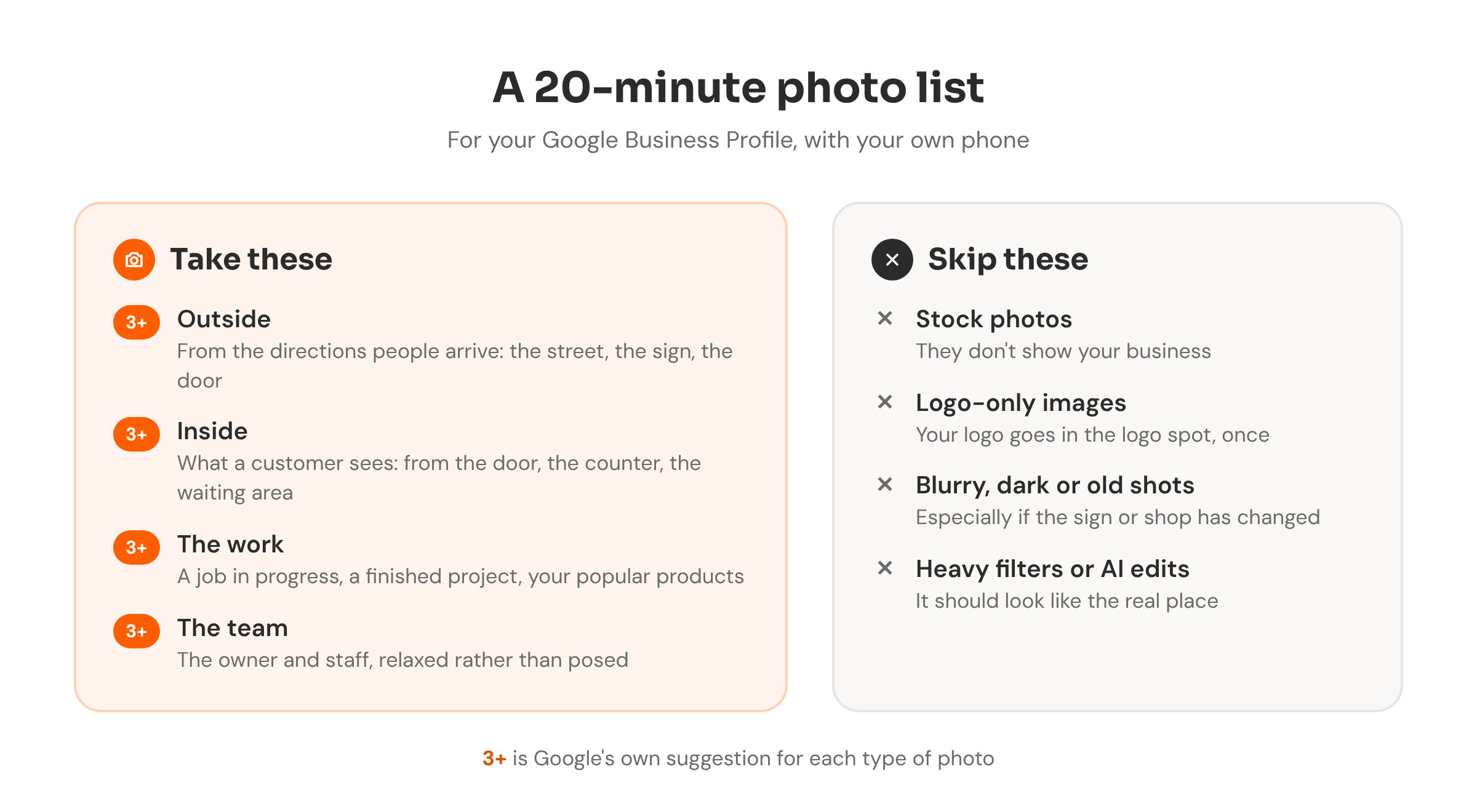
If a client handed me their phone for 20 minutes, this is what I'd take for their profile. Google's own tips suggest at least three photos of each kind.
- The outside, from the directions people arrive. The street view, the sign and the entrance, so a first-time customer recognises the building. Different times of day help if you can.
- The inside, the way a customer sees it. Standing at the door, at the counter, in the waiting area.
- The work itself. A job in progress, a finished project, a before-and-after, or your most popular products laid out in good light.
- The people. The owner and the team, relaxed rather than posed. People like seeing who they'll be dealing with.
How you take them matters as much as what's in them. Keep them in focus and well lit, and hold the phone steady. Skip the heavy filters and AI touch-ups. Google says photos should show the place as it really is.
What I'd Skip, or Take Down
- Stock photos. They don't show your business, and customers can tell.
- Logo-only images or graphics full of text. Add your logo once, in the logo spot, and use real photos everywhere else.
- Blurry, dark or very old photos, especially if the shop or the sign has changed since.
- Heavily edited or filtered shots. If the place looks different when someone walks in, that's a poor first impression.
If your profile already has some of these, it's worth replacing them as you add new ones.
A Few Practical Details
Your profile has to be verified before photos show up on it. Google accepts JPG or PNG files between 10 KB and 5 MB, and recommends at least 720 by 720 pixels. Any recent phone handles that easily.
You don't have to do everything at once, either. One good batch gets the profile looking lived-in, and adding a fresh photo now and then keeps it that way. I wrote about a simple weekly routine in what to post on your Google Business Profile each week, and the bigger picture is in my Google Business Profile basics.
Setting up and looking after profiles is part of my Google Business Profile work. To see how yours compares with other businesses nearby, photos included, run the free checkup.
Want help with your Google profile?
I can tidy up your Business Profile, sort out the photos and details, and keep it looking current.