What Questions Should My Website's FAQ Answer?
The questions people are already typing into Google about what you sell. Find those, answer each one in a sentence or two, and leave the sales pitch out.
 By Stephen OsmondWebsites and local marketing for small businesses in Belleville and the Quinte region
Example only: a made-up deck builder
When I write an FAQ for a client, I don't start with the FAQ. I start by finding out what they're trying to sell: their top products or services, the work they want more of. Then I go looking for the questions people are actually asking about those things, and I use those.
That's the difference between an FAQ that helps and one that just fills space. A lot of FAQ pages answer the questions the owner thinks people should ask. The useful ones answer the questions people are already typing into Google.
Where I Find the Real Questions
You don't need special software for most of this. These are the places I look.
- Google Search Console. If your website is connected to it, the Performance report shows the searches your site showed up for, and which ones people clicked. Longer searches that start with how, what, can or do are often questions in disguise.
- The Google search bar. Start typing your service and watch the suggestions that drop down. Google says those suggestions are based on what people actually search, so they're a good hint at what's on people's minds.
- AnswerThePublic. Type in a topic and it lays out the questions people ask around it, grouped by how, what, why, can and so on. It's a quick way to find questions you wouldn't have thought of.
Then I match what I find back to what the business sells. If a question doesn't relate to a product or service you offer, it probably doesn't belong on your FAQ. And if the same question keeps coming up on the phone, it belongs on the list as well.
Short Answers That Solve the Problem
The most common problem I see is answers that are too long and too sales-oriented. Someone asks a simple question and gets a paragraph about quality, experience and how much the company cares, without ever getting an answer.
The person reading has a problem they're trying to solve. Answer it first, in a sentence or two. If there's more worth knowing, add it after, and point them to the page with the details.
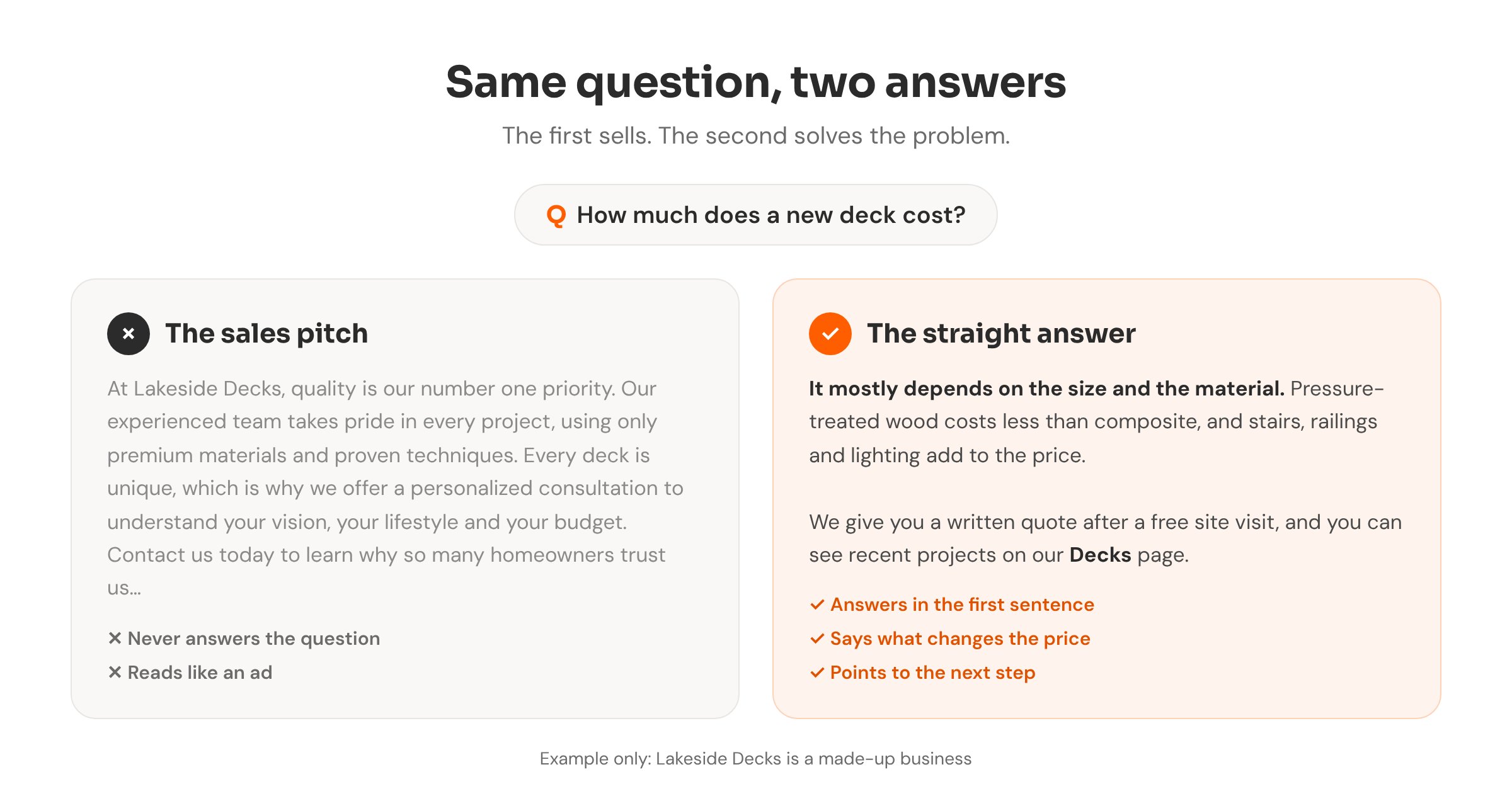
A simple pattern for each answer
Answer the question in the first sentence. Add the one detail that matters most, like what changes the price, how long it takes or who it's for. Then say where to go next: a service page, a quote form or a phone call.
A good test is to read the answer out loud. If it sounds like what you'd say to a customer standing in front of you, it's right. If it sounds like an ad, cut it back.
Writing With AI Search in Mind
Yes, we write FAQs with AI tools in mind now. But there's no established pattern or protocol for it yet. Nobody can hand you a format that guarantees your business gets mentioned when someone asks ChatGPT or Google's AI a question.
What I can tell you is that it comes back to the same thing: find the real questions people are asking, the ones with search volume behind them, and answer them clearly. That helps the person reading your page, and it helps any tool trying to work out what you do. I wrote more about how those AI answers come together in what happens when someone asks ChatGPT for a business like yours.
We also add FAQ schema, a bit of code behind the page that labels each question and answer for search engines. It's worth knowing that Google stopped showing FAQ drop-downs in its search results in May 2026, after limiting them to government and health sites back in 2023. So the code won't make your listing look any bigger. We use it because it describes the page clearly, not for a visual boost.
Google Took the Q&A Off Business Profiles
Google Business Profiles used to have a Questions and Answers section, and it was popular. Owners could post the questions they heard most and answer them right on the profile. Google started removing it in late 2025.
In its place, Google has been rolling out Ask Maps, where its Gemini AI answers people's questions using what it finds on your profile, your reviews and your website. It started in the US and India, so you may not see it here yet.
I've also heard Google is testing a revamped Q&A in the Business Profile dashboard. In August, Search Engine Roundtable reported a test that asks owners yes-or-no questions about their business. Google hasn't confirmed anything. If it does come back, I think it'll be more about feeding those AI answers than a list people scroll through.
Whatever Google does with the profile, those answers have to come from somewhere. A website that already answers the questions people ask gives it something accurate to work with. If you haven't looked at your profile in a while, start with my Google Business Profile basics.
Start With Five
You don't need fifty questions. Pick your main service, find five questions people actually ask about it, and answer each in a few sentences. Put them on that service's page, or on an FAQ page linked from it. Add more as you find them.
If you're working on the rest of the site too, what should go on your homepage is a good next read.
Writing FAQs from real search questions is part of how I build and look after websites. To see how your business shows up online, run the free checkup.
Want an FAQ built from real questions?
I'll find what people are asking about your services and write short, useful answers for your website.